2018.01.03 - posted in SSL
A little while ago I wrote about improvements in the SSL configuration of my webserver. You can read about that here.
I decided to check my SSL configuration with Qualys’ SSL Server Test again to see if there was room for improvement. Sure enough, there was.
The report
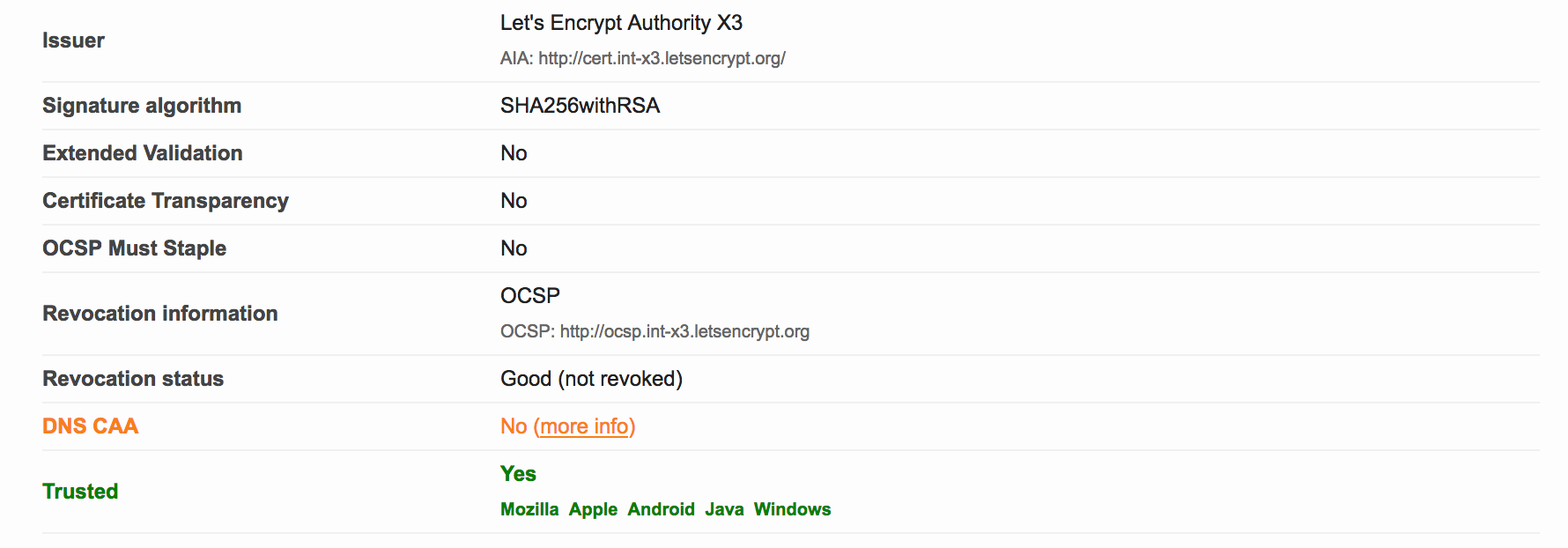
The report was still A+. However, I noticed two items that could possibly improved upon:
- No
DNS CAA - I’ll address that in this post
Weak 3DES ciphers - I’ll write another post about this
The cause
I had not yet implemented Certification Authority Authorization (or CAA), since I didn’t know what it was. The link in the SSL Labs report provides more information. In short, the PKI ecosystem is provided with a new control mechanism to restrict which CA’s may issue certificates for a specific domain. All you need to do is list the CA’s that you use for a specific domain in new CAA DNS record for that domain.
As of September 8, 2017, upon issuance of a new certificate for a domain, the CA is supposed to check the CAA records for that domain. If there is no matching CAA policy for the CA, the issuance should be denied (and it MAY be reported if the domain holder has iodef CAA record(s)).
From the RFC:
If the domain name holder specifies one or more iodef properties, a
certificate issuer MAY report invalid certificate requests to that
address.  In the following example, the domain name holder specifies
that reports may be made by means of email with the IODEF data as an
attachment, a Web service [RFC6546], or both:

$ORIGIN example.com
.       CAA 0 issue "ca.example.net"
.       CAA 0 iodef "mailto:security@example.com"
.       CAA 0 iodef "http://iodef.example.com/"
For those of you who want to have more in-depth information, see RFC 6844.
The solution
In my case, for voipmeister.com, I am using Let’s Encrypt as the CA for my certificates. So, if I want to implement a CAA policy, all I need to do is add DNS records like this:

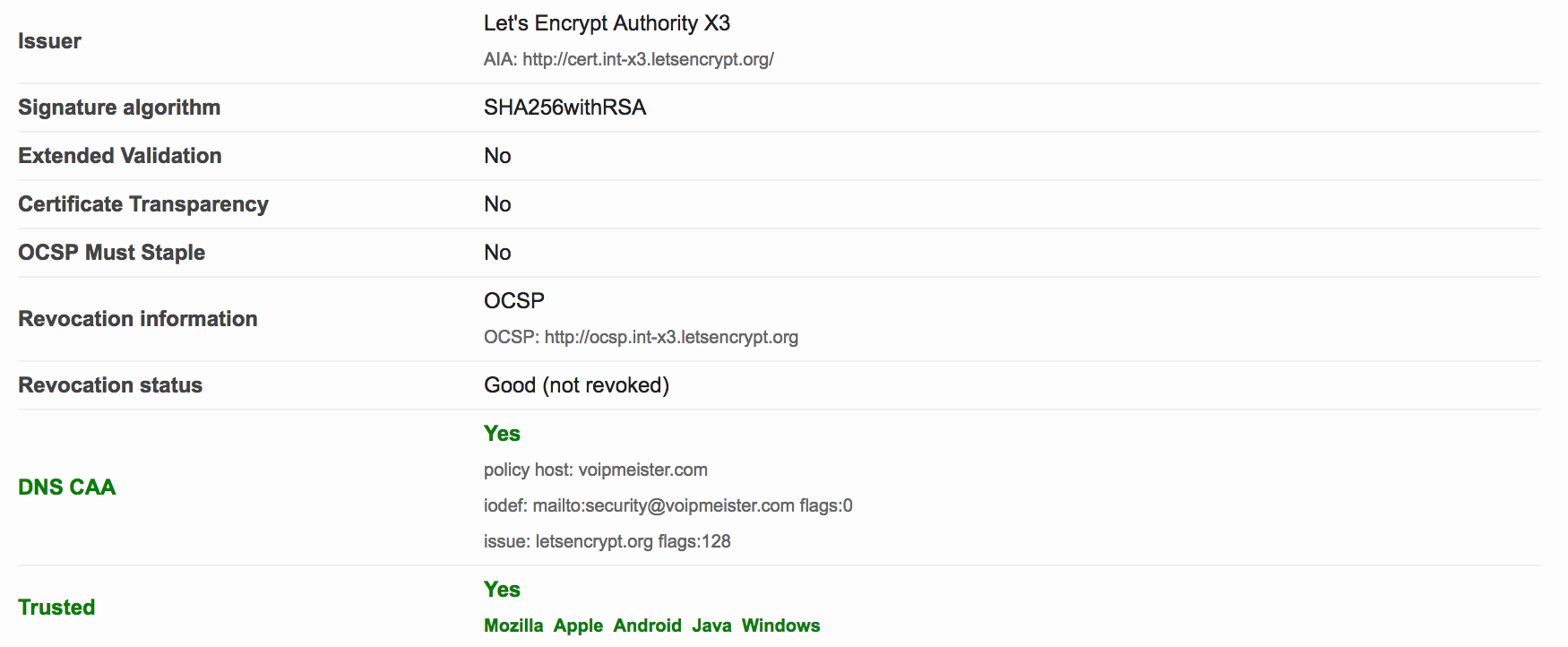
The second one tells any interested party that I only use Let’s Encrypt as my CA. The first record is a request to inform me at a specific email address upon violations or problems concerning certificate issuance. I created those DNS records by hand, but you may also use the SSLMate CAA Record Helper.
After we wait a while for the recent DNS change to take effect, we can recheck with the SSL Labs Tester. The result is this:
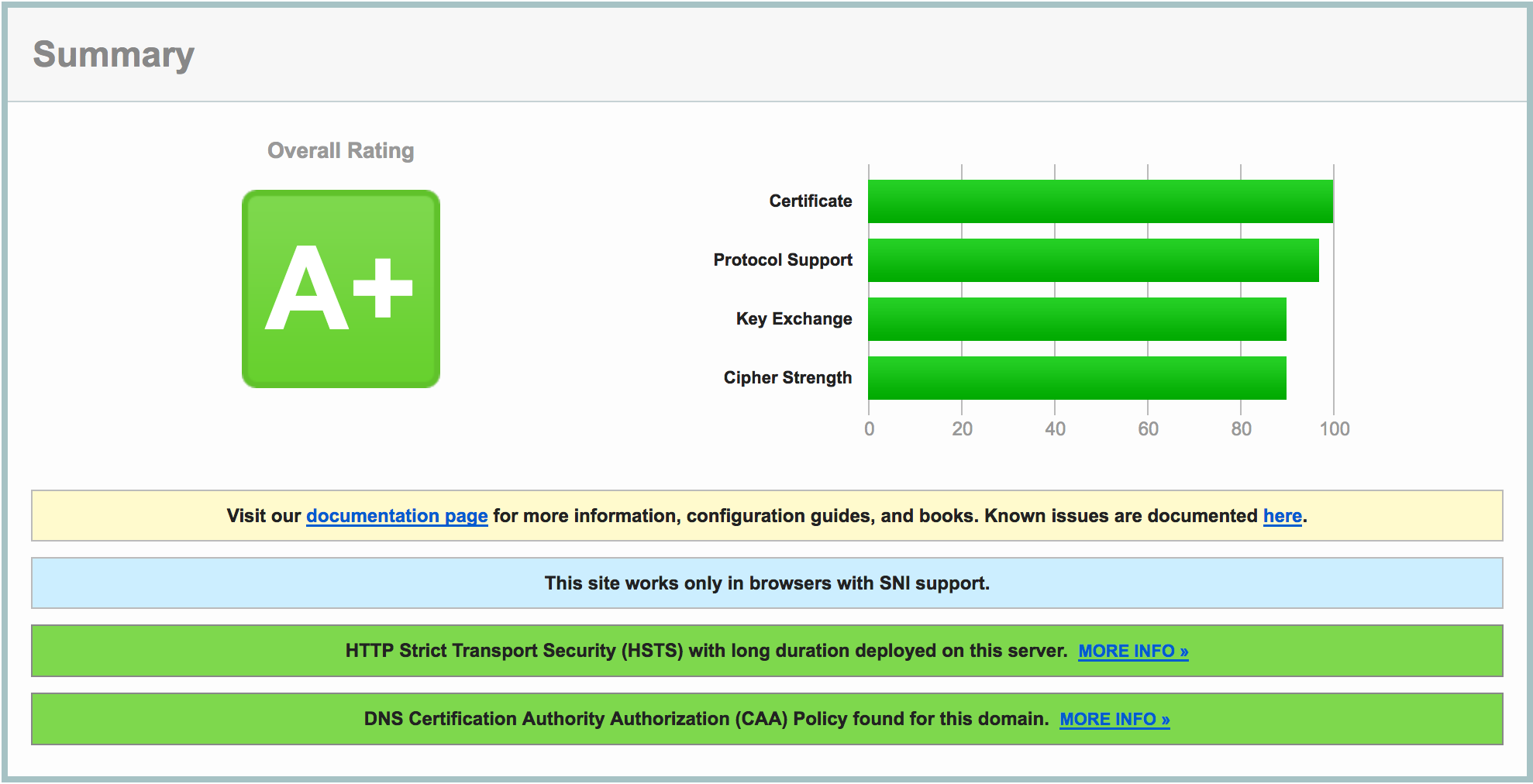
Do notice the extra green bar pertaining to CAA, and see the DNS CAA information in the details:
2017.12.29 - posted in security
The other day, I was in the process of moving my blog to Pelican, a static site generator. Browsing for some themes I stumbled upon Pelican Alchemy, which led me to the site of the Nairobi GNU/Linux Users Group, where I found some nice blog posts.
One in particular caught my eye and I intend to investigate it later this weekend: Using systemd Timers to Renew Let’s Encrypt Certificates.
Looks nice, and very useful for my webserver on which I have a bunch of Let’s Encrypt certificates installed. Automating the renewal sounds appealing and it was already on my list of ‘things to look into’.
2016.09.23 - posted in security
The report
Recently I decided to enable SSL for my blog. Of course, I checked the quality of my SSL settings, which weren’t too bad, but not A+ either:
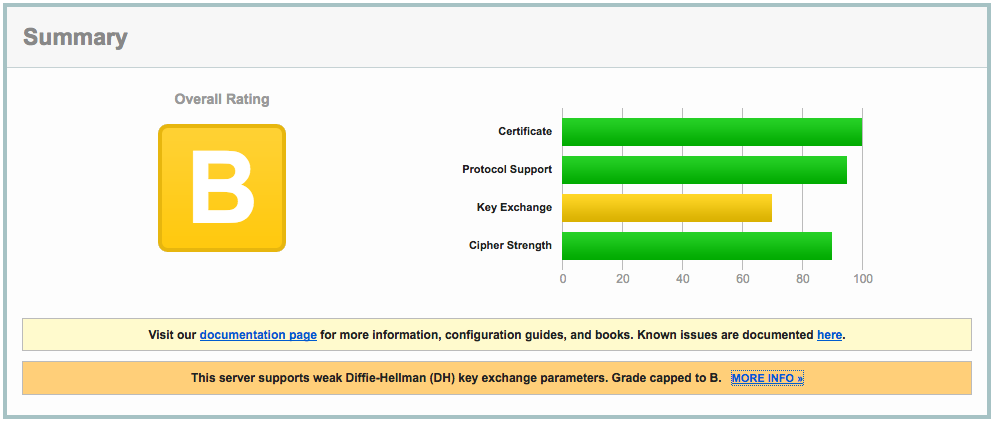
The clue is in the report:
This server supports weak Diffie-Hellman (DH) key exchange parameters. Grade capped to B.
The cause
The problem is explained in detail at https://weakdh.org. What it boils down to is that by default, a Diffie-Helman group of 1024 bits is generated, which is considered weak by today’s standards.
This is the main reason for the ‘B’ grade. Other SSL configuration parameters are important as well, so read on :)
The solution
Here’s how I remediated this problem. First, I created a 4096 bit DH group:
openssl dhparam -out /etc/ssl/certs/dhparams.pem 4096
The output would be something like:
Generating DH parameters, 4096 bit long safe prime, generator 2
This is going to take a long time
........................................................................................................................
<snip>
.........+.............................................................................................................++*++*
After generating the 4096 bit DH group, I changed the following parameters in the server block of my nginx vhost config:
server {

    ...

    ssl_ciphers 'ECDHE-RSA-AES128-GCM-SHA256:ECDHE-ECDSA-AES128-GCM-SHA256:ECDHE-RSA-AES256-GCM-SHA384:ECDHE-ECDSA-AES256-GCM-SHA384:DHE-RSA-AES128-GCM-SHA256:DHE-DSS-AES128-GCM-SHA256:kEDH+AESGCM:ECDHE-RSA-AES128-SHA256:ECDHE-ECDSA-AES128-SHA256:ECDHE-RSA-AES128-SHA:ECDHE-ECDSA-AES128-SHA:ECDHE-RSA-AES256-SHA384:ECDHE-ECDSA-AES256-SHA384:ECDHE-RSA-AES256-SHA:ECDHE-ECDSA-AES256-SHA:DHE-RSA-AES128-SHA256:DHE-RSA-AES128-SHA:DHE-DSS-AES128-SHA256:DHE-RSA-AES256-SHA256:DHE-DSS-AES256-SHA:DHE-RSA-AES256-SHA:AES128-GCM-SHA256:AES256-GCM-SHA384:AES128-SHA256:AES256-SHA256:AES128-SHA:AES256-SHA:AES:CAMELLIA:DES-CBC3-SHA:!aNULL:!eNULL:!EXPORT:!DES:!RC4:!MD5:!PSK:!aECDH:!EDH-DSS-DES-CBC3-SHA:!EDH-RSA-DES-CBC3-SHA:!KRB5-DES-CBC3-SHA';
    ssl_prefer_server_ciphers on;
    ssl_dhparam /etc/ssl/certs/dhparams.pem;

    ...
}
The nginx configuration can be checked with
Any problems with the configuration will be reported. If you’ve done it right, it shows something like:
nginx: the configuration file /etc/nginx/nginx.conf syntax is ok
nginx: configuration file /etc/nginx/nginx.conf test is successful
Make sure you include all configuration files the right way, otherwise you might be troubleshooting configuration that isn’t actually active at all!
After reloading nginx, all this resulted in the following report:
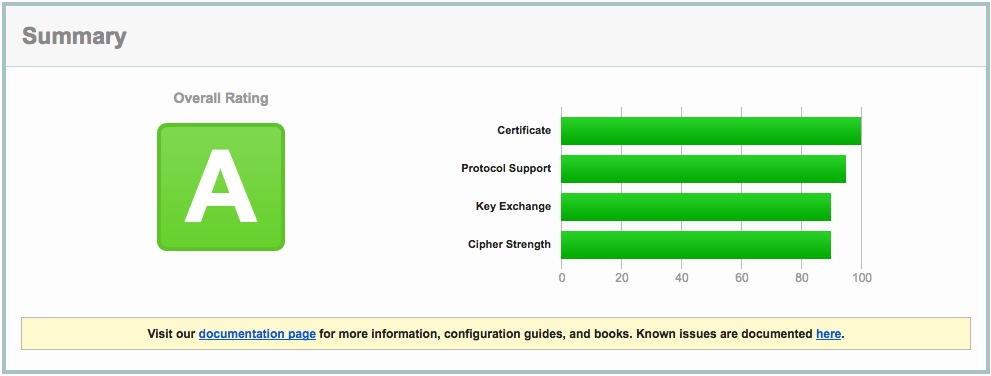
Close, but no sigar..!
A few more SSL settings need to be modified in order to get the A+ rating. So, I edited the nginx config again:
server {
    listen 443 ssl default_server;
    listen       [::]:443 ssl http2 default_server;

    ...

    ssl_certificate ""/etc/..../fullchain.pem"";
    ssl_certificate_key ""/etc/..../privkey.pem"";

    ssl_protocols TLSv1 TLSv1.1 TLSv1.2;
    ssl_prefer_server_ciphers on;
    ssl_ciphers ""EECDH+AESGCM:EDH+AESGCM:AES256+EECDH:AES256+EDH"";
    ssl_ecdh_curve secp384r1;
    ssl_session_cache shared:SSL:10m;
    ssl_session_tickets off;
    ssl_stapling on;
    ssl_stapling_verify on;

    add_header Strict-Transport-Security ""max-age=63072000; includeSubdomains"";
    add_header X-Frame-Options DENY;
    add_header X-Content-Type-Options nosniff;

    ssl_dhparam /etc/ssl/certs/dhparams.pem;

    ...
}
Which resulted in A+ (yay):
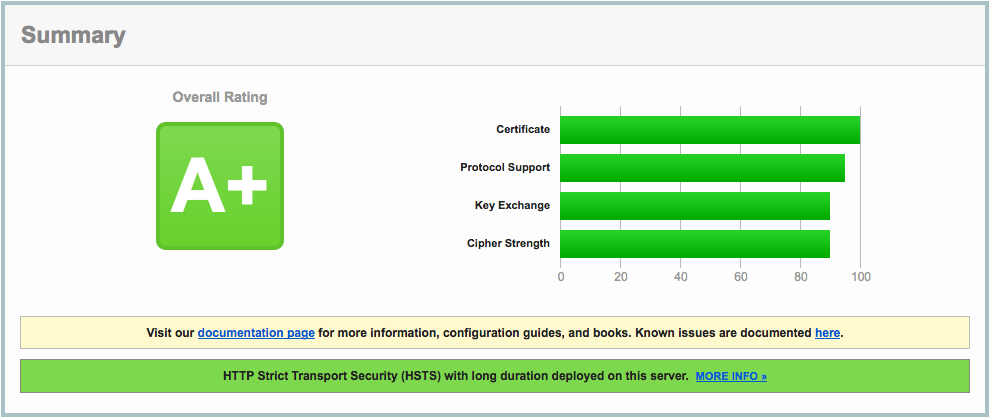
A lot of information about these nginx settings can be found here: https://raymii.org/s/tutorials/Strong_SSL_Security_On_nginx.html and here: https://cipherli.st.
Mitigating TLS-FALLBACK-SCSV would be possible, if it weren’t for the openssl version on CentOS 7, which is 1.0.1e. OpenSSL 1.0.1 has TLSFALLBACKSCSV in 1.0.1j and higher though.
